Sign up to the Decent Group newsletter.
Get monthly insights about how software can improve your business performance.
Subscribe now
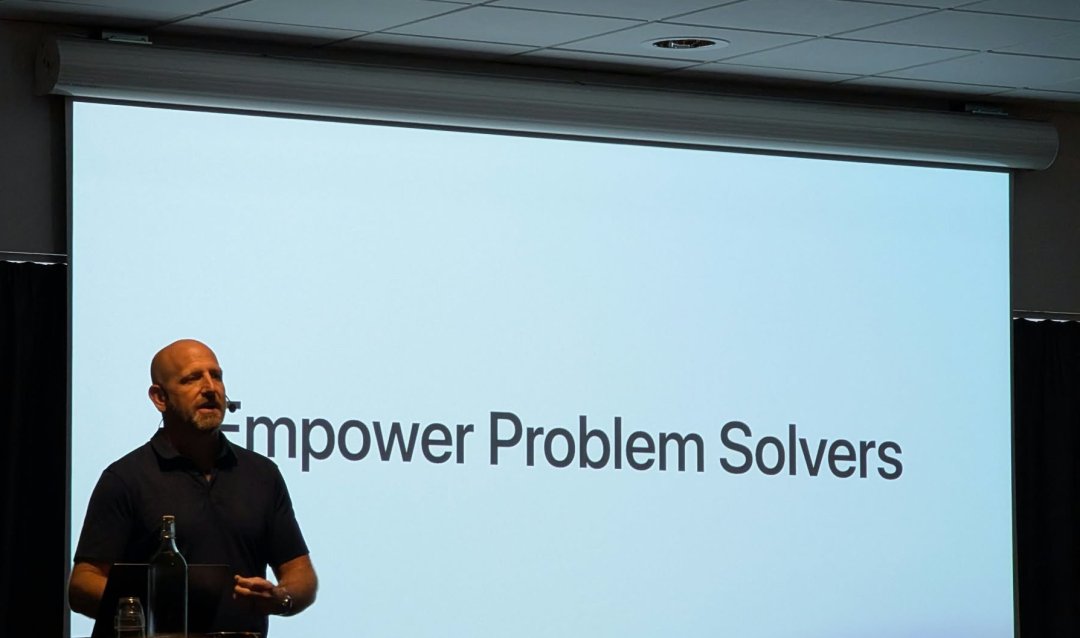
At this year’s EngageU conference for FileMaker developers the hottest topic of all was AI – as you might expect. But things have changed from last year. Then it was theoretical: trying to understand AI and how it worked. This year, it was all about turning it to practical use: how can we benefit from these tools? Where do they work best? Which is much more up our street – and something we’ve been doing for a while.
We attended a whole session dedicated to using AI to spot patterns in the wealth of business data most businesses already have. Sales figures, for example. Combine all your data and put it into an AI model, and you can identify trends which had previously been invisible. For example, which of your products’ sales are slowly declining. Or which clients are gradually spending less.
You can also use it to spot warning signs. Which customers are ordering less frequently, and paying later? If you know this, you can make an effort to make them feel loved, understand their stresses, or plan for losing them as a customer.
We were particularly interested because we did exactly this for a client just last month. They have 13 years of data and they wanted to see the secrets it holds. Now they have valuable new insights on customer and product trends.
You might wonder how this can be done without pasting confidential data into an AI. We anonymise the data using unique but meaningless identifiers for each customer and product before putting it into AI, and then translate the results back into real information.
Alternatively – as was also discussed at EngageU – we can run an AI model on dedicated hardware. You need beefy hardware to cope with the processing power demands, of course, but this hardware isn’t as pricey as it used to be.
It wasn’t all AI. There were plenty of smart ideas about using tech in new ways. One area covered how to tackle deep-level performance issues: how to diagnose and fix things when FileMaker is running slowly. One US-based developer gave an interesting presentation on ways to identify where the problem is and then speed up that slow process. It’s something we do at Decent Group, but it was great to hear someone else talking about their approach.
Another related presentation by the self-styled Mad Optimiser took the same issue but addressed it at the level of code. How do you write your systems and their routines so they place minimal demand on computer processing? Again, this is an area we focus on, using millisecond logging to find out what’s going on inside a slow process. Say the script for a particular process is 400 lines; you divide this into smaller chunks of perhaps 20 lines and time how long each chunk takes to run. You can now see which is the slow part. If need be, you can then subdivide further to look even closer. Then you identify the real problem, work out why it’s slow and how to fix it.
This can make all the difference to user experience and how well people use the system. If something takes less than a couple of seconds to process, users will stay with it. If it gets to five seconds, they’ll likely lose attention and do something else.
This is an important topic, although not a technical one. What it boils down to is this: when a business is being sold, how can the buyers be sure a business-critical system can be relied on? If the platform has vulnerabilities, that’s a business continuity risk. If there’s a single person who supports the system, that’s a key man risk. And if the software system is essentially the tool the business uses to do its work, then its potential loss could dramatically change the business’s value.
It’s a risk many businesses overlook, especially if their one-man IT support function has been working successfully for many years. What if they retire, or fall ill, or worse? We attended a session discussing these issues and potential solutions, and were pleased to hear that our approach is considered optimal: put in place a back-up support team who know the system well, but don’t replace your existing IT expert. This is the best of both worlds. You can then use your back-up team to identify any vulnerabilities – and to do the tasks that your main IT support person doesn’t have time to get round to.
This is a fairly new feature of FileMaker that we heard more about at the conference – essentially a big step up from the backup. If your system goes down, you can restore it from a backup – great, except it can take hours to provision a new server, restore the system from a backup and test it. A delay of perhaps seven hours can be a serious problem.
The standby server, however, is a mirror of your live server and it’s ready to go when you need it. If your server packs up, you can get your system back online in minutes – making all the difference between a hiccup and a horror show. As we discovered, the feature is now improved and we are looking forward to starting using it.
Then we came across something different that not only reassured but excited us. We’ve been thinking about it ever since.
We’d been wondering how Claris were approaching the threat of software development driven purely by AI ability to ‘vibe code’ a system into existence at high speed. After all, FileMaker’s great strength is how easy it is to create things with it. AI tools have the same advantage.
In our face-to-face meeting with Claris’s chief executive, we asked him outright about this. We wanted to understand if Claris were simply hoping the problem would go away, too alarmed to even think about it properly, or actually tackling it.
First he pointed out the amount of investment going into FileMaker. The latest release, FileMaker 2026, delivers many improvements that developers have been yearning for. Second, he told us that sales are up on previous years. In other words, the business is rock solid right now.
Then he told us that they are working hard on implementing agentic AI within FileMaker. That had us raising our eyebrows. The popular AI coding tools are agentic too – you ask them for X, they build it for you. That’s their great advantage. But if you can also do the same with FileMaker, it’s a game-changer. FileMaker can compete directly with those popular tools.
And there’s one big advantage to AI in FileMaker. Whatever you create in FileMaker is built on a trusted backend system backed by Apple: a tried and tested system with minimal security and privacy vulnerabilities. Build something in one of the well-known AI development environments, and it’s vulnerable – to security breaches, to information leaks, or simply to not working properly.
Claris is embarking on a bold and necessary strategy and we were delighted to hear it.
We realised something else. Most SMEs don’t know that they can afford bespoke software (by working with a business like ours). Now AI tools are opening up the custom software world and creating new opportunities. Custom software today is a realistic (and immensely valuable) option. But only if implemented properly.


Fill in your details and give us an idea of what you’d like to talk to us about, and we will contact you shortly.